What’s next for Aurorae?

Aurorae is a decoration engine that allows you easily using third party decoration themes from KDE Store.
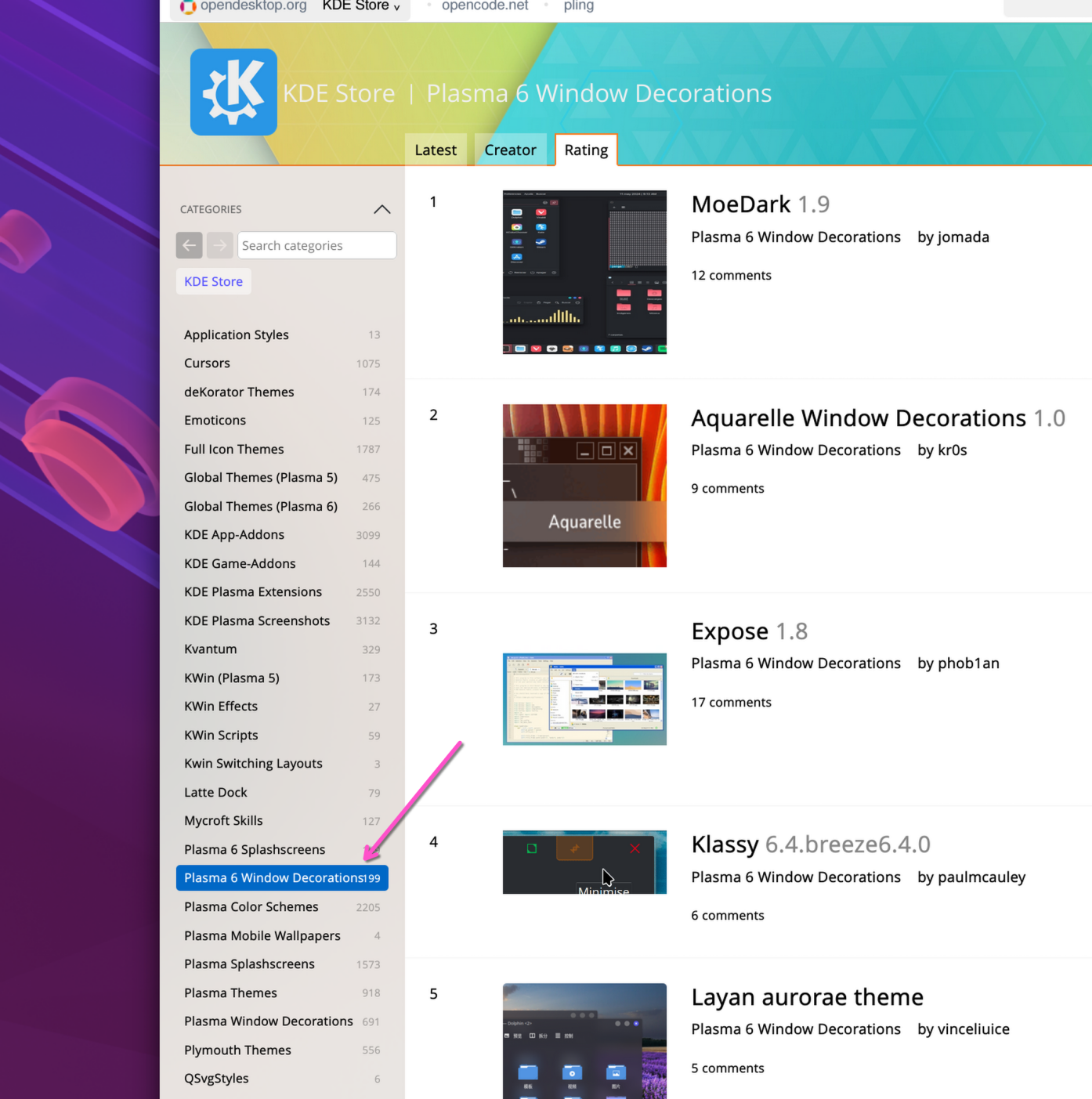
Aurorae decoration themes at KDE Store (although there are some decoration themes that don’t use Aurorae, e.g. Klassy, but a good chunk of themes found in the Plasma 6 Window Decorations category still use it)

It’s been around for quite a while and it has a plenty long history. However, in the recent years, it has been somewhat neglected. The UI trends changed, e.g. rounded corners are all the rage now, but there has been no changes in Aurorae to allow theme creators to follow those trends more easily. There are also performance issues. In comparison to the default Breeze decoration theme, it performs quite poorly, unfortunately.

What is Aurorae anyway?

In Plasma, we have a C++ library that’s used to implement window decorations called KDecoration. Both Breeze and Aurorae use KDecoration, but the main difference between the two is that the former directly implements a window decoration that follows Breeze style, while the latter is just a very themeable window decoration.

Aurorae supports both QML and SVG themes. With a QML theme, you need to write some QML code to define how the window decoration should look and behave. With an SVG theme, you need to provide a bunch of SVG files that specify how the window frame and various buttons look. Under the hood, SVG themes are effectively built as QML themes.

QML is pretty cool because with a few lines of code, you can get something that works and looks very decent. But for our usecase, it’s also a heavy tool, and due to the way how QtQuick works, it’s very challenging to have proper fractional scaling support. To be fair, normal applications that use QtQuick are mostly fine, it’s just that we have a pretty unique usecase where we need full control where every individual pixel gets painted.

Aurorae V2

Recently, I started a rewrite of Aurorae with a few goals in mind. The first goal is to improve performance so KWin doesn’t struggle when you resize a window (just to be clear, no, this doesn’t mean that there are performance issues in QtQuick. The way QML decorations are rendered is inefficient. We render a QtQuick scene in an offscreen texture, then download its contents, and then upload its contents in another texture. These roundtrips kill performance, and they are necessary because of KDecoration API constraints). The second goal is to open up the road for fractional scaling support improvements, like fixing misaligned window border edges or gaps between the decoration and the window contents. The third goal is to prepare the foundation for future improvements and to provide more tools so artists can create themes that reflect “modern” stylistic tendencies.

In this rewrite, raw KDecoration and KSvg APIs are used. This makes aurorae decorations quite lightweight and it significantly improves performance. Some fractional scaling issues have already been fixed, while others still need more work. Window decorations are rendered on the CPU side. While, yes, it will be nice to have everything done on the GPU side, doing things on the CPU side is also not that of a big bottleneck right now. In the future, we may follow up on doing more things on the GPU, but for now, it is not high priority.

The main focus has been on improving performance issues and preserving compatibility with the previous implementation of SVG decoration themes so decorations look more or less the same way. There may be some (unintentional) differences, but they should be very minimal.

What about QML decoration themes then? The main idea behind them is brilliant, but after so many years, there are not that many window decoration themes that use QML. In either case, the original (V1) and rewritten (V2) aurorae engines live side-by-side, but the future of V1 is unclear. QML and SVG decoration themes will use V1 and V2, respectively.

Future plans

At the moment, the goal is to continue polishing and optimizing V2. There are certain limits how far we can push things due to the theme format. Some parts of the theme force us to do some things, which ideally we shouldn’t do.

It’s highly likely (not saying this for sure though!) that there will be a V3, which is going to address some theme limitations and add support for new features, for example rounding bottom window corners or outlines.

If you’re a decoration theme creator and would like to see some particular feature in Aurorae, feel free to reach out to me (@zzag) on Matrix (e.g. in #kwin) or file a feature request at https://bugs.kde.org (product: kwin; component: aurorae).

Dark mode improvements in Plasma

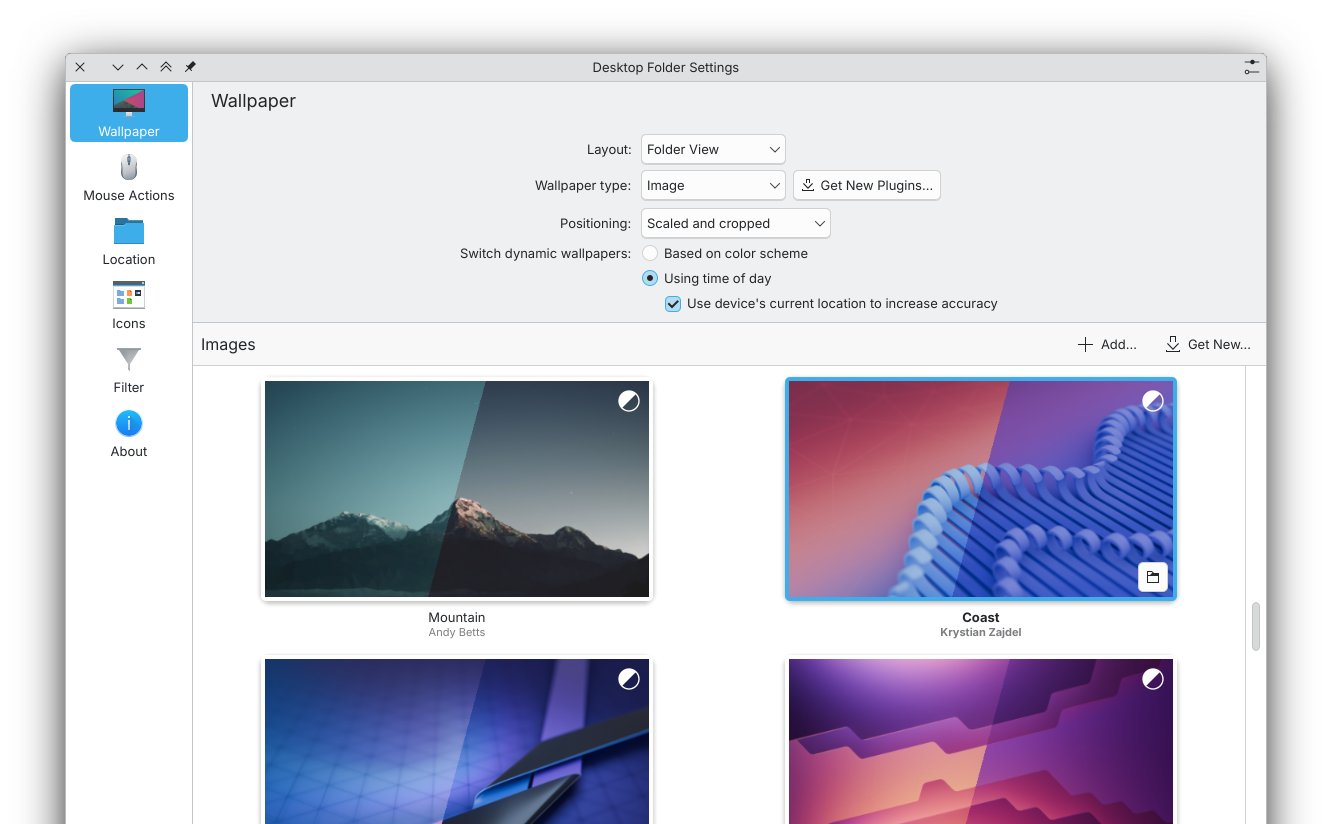
Dark mode has been available in Plasma for quite a while now but the next release explores new areas where it can be taken one step further, beginning from some behind the scenes infrastructure to more user facing features such as dynamic wallpapers and automatic day/night global theme switching.

My journey to improving dark mode capabilities started at the recent Plasma Sprint. A while ago, I developed a wallpaper plugin that’s capable of synchronizing images to the position of the Sun, which I wanted to upstream but one of the biggest issues was the sheer size of the project. It supports a bunch of modes, it requires special tooling, and the wallpaper format is too cumbersome for upstream (although it’s amazing for 5K or 8K images!). So, I decided to make a pitch for adding one of the modes available in that plugin to other Plasma developers, which should be very easy to integrate with the existing infrastructure in Plasma. The idea was well-received and it led to a discussion about other related things, like better integration of geolocation services in Plasma, etc.

Day/night wallpapers

Some wallpaper packages can contain light and dark images. Currently, the light image will be used with a light color scheme, and the dark image will be used with a dark color scheme. The main idea behind the new day/night dynamic wallpapers was to exploit this design of the wallpaper packages: switch between light and dark images depending on the elevation of the Sun rather than the color scheme.

The plasma5-wallpapers-dynamic served as the basis for the new dynamic wallpaper mode in Plasma. It works exactly like we want. If geolocation data is available, use it to compute the position of the Sun. The daylight duration varies depending on your location throughout the year; by taking the geolocation into account, the dynamic wallpapers can closely match the dark/light cycle. If the geolocation is unknown, fall back to some pre-configured morning and evening times.

From functional point of view, it doesn’t have any purpose, but it’s a lovely touch that helps you to personalize your computer.

While on this, we also looked into optimizing the wallpaper configuration dialog. Specifically, fixing GridView in QtQuick so it is possible to reuse wallpaper preview items for smoother scrolling and re-working the wallpaper preview generation process for better performance and to make it less error prone.

How to create a day/night wallpaper

A day/night wallpaper is a regular wallpaper package but with light and dark images, Plasma does the rest to figure out what images should be displayed.

For example, imagine that you want to create a wallpaper with a lake. Then the wallpaper would look something like this

Lake/
├── contents
│   ├── images
│   │   ├── 1080x1920.png
│   │   └── 5120x2880.png
│   └── images_dark
│       ├── 1080x1920.png
│       └── 5120x2880.png
└── metadata.json

The Lake folder contains two things: a contents folder with images and a metadata.json file. The metadata.json file provides extra information about the wallpaper, e.g. the author, etc.

{
   "KPlugin": {
       "Authors": [
           {
               "Email": "foobar@example.com",
               "Name": "Name of the author"
           }
       ],
       "Id": "Next",
       "License": "CC-BY-SA-4.0",
       "Name": "Lake"
   },
"X-KDE-CrossFade": true
}

The Id specifies the unique id of the wallpaper, the Name specifies the human readable name of the wallpaper. The metadata may also contain an X-KDE-CrossFade key, this is used to enable or disable long cross-fade. For example, if the transition from day to night lasts 30 minutes, then Plasma will slowly cross-fade from the light to the dark image for 30 minutes. Such a long cross-fade transition can be undesired if the images are too distinct.

images and images_dark folders contain light and dark images, respectively. Note that image file names must match the image resolution, i.e. 5120x2880.png instead of light.png, etc.

The wallpaper should be installed in /usr/share/wallpapers or ~/.local/share/wallpapers.

knighttime(d)

In addition to day/night wallpapers, it would also be nice if more things could be more dynamic. For example, switching the global theme at night. However, this creates a bit of a problem. If you want to configure the times when wallpapers or themes need to be changed, you will need to set settings for every feature individually, which is not great.

To solve that problem, a new desktop component was introduced that orchestrates when morning and evening transitions occurs – KNightTime. It’s a super duper tiny project with a client library and a daemon (knighttimed) that provides the schedule for day/night cycle transitions.

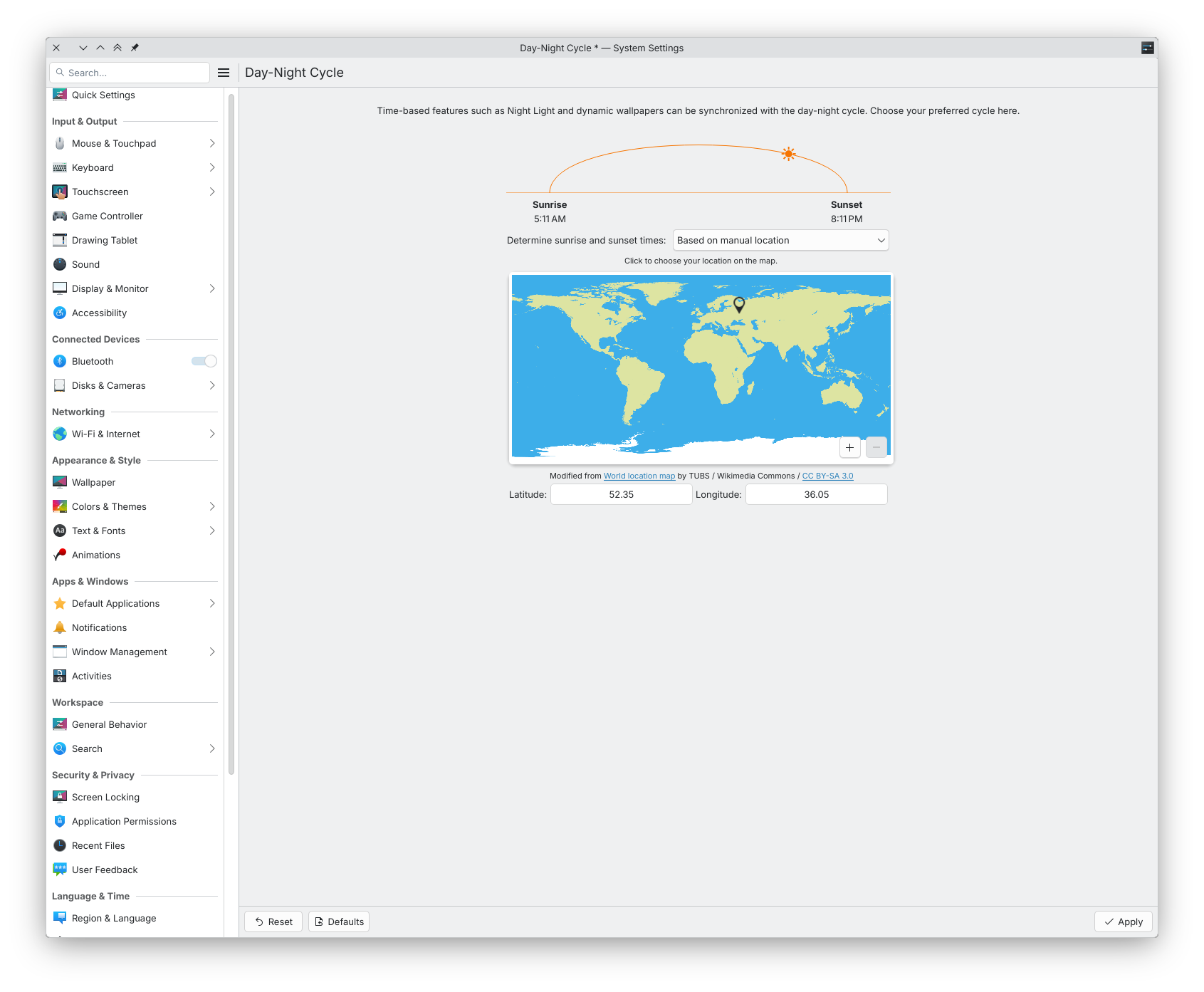
Since all features that synchronize to the day/night cycle subscribe to KNightTime, you only need to configure it to use specific morning and evening times. Night Light, day/night wallpapers and so on will be all synchronized.

knighttimed runs in background and it is started on demand, so in most cases, you don’t even need to worry about its existence.

Day/night themes

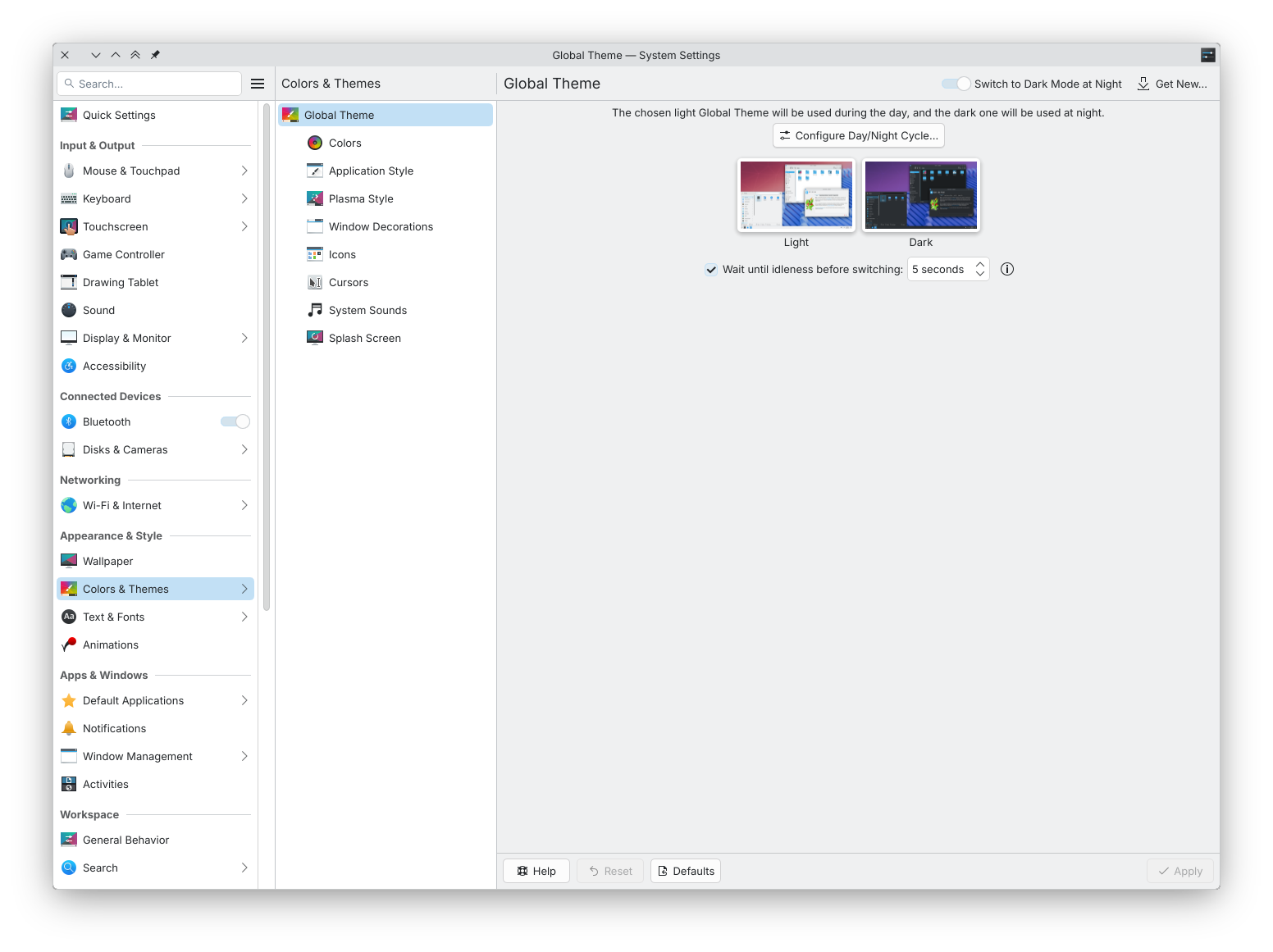
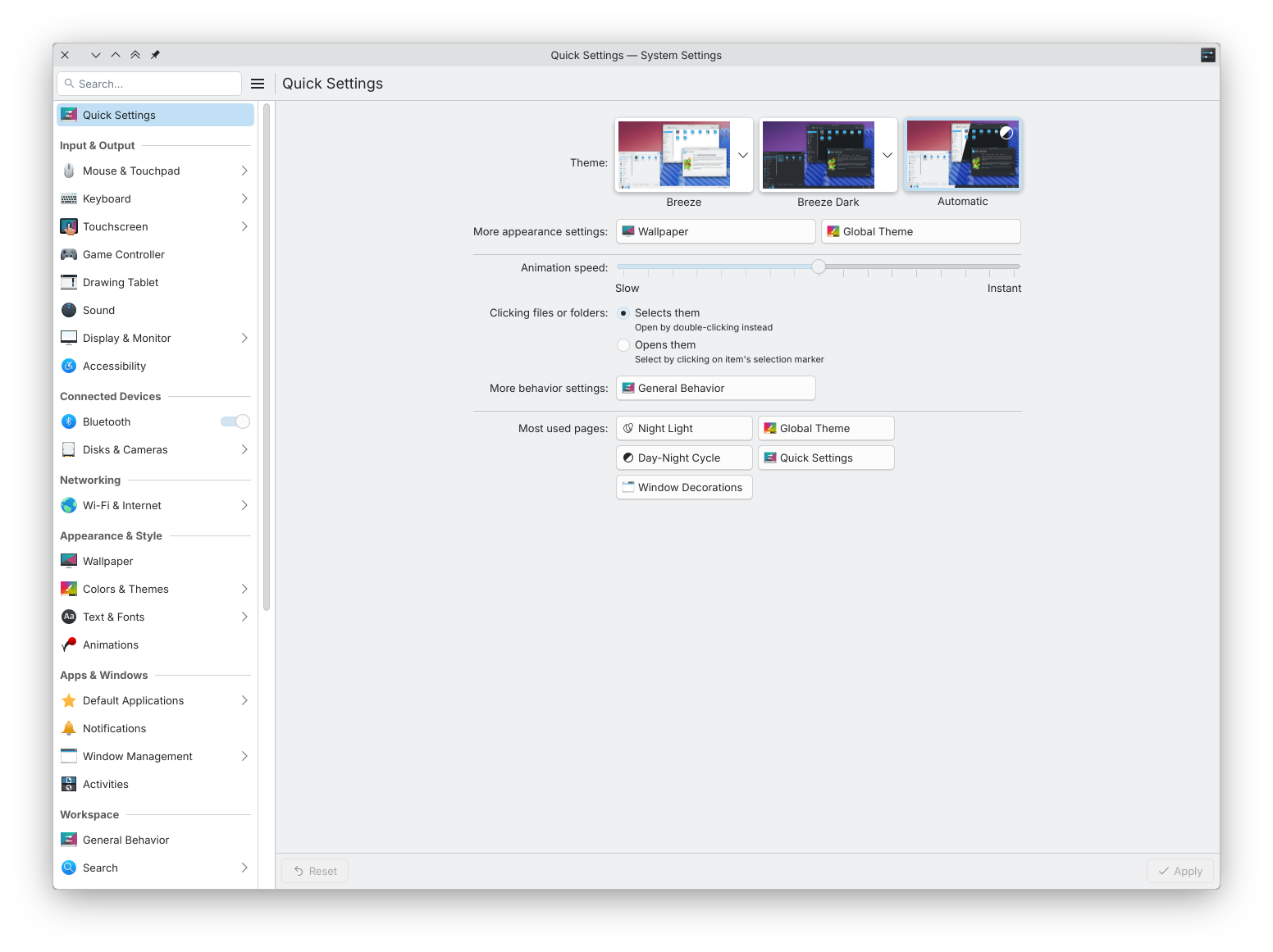
Besides the wallpaper, one can also switch between light and dark global themes depending on time of day.

Perhaps the hardest part about this was figuring out how to retrofit our system settings to accommodate for this new mode rather than actually implementing the logic that changes the active theme. Many thanks to Felix Ernst and Nate Graham for providing mock-ups and feedback about the UI.

It is worth noting that Plasma will switch between the themes only if the computer has been idle for 5 seconds. The main reason behind this is to avoid interruptions while actively using the computer. In case you don’t like it, you can turn it off in system settings or increase the default idle interval if you think it’s too low for your needs.

With the automatic mode, the global theme switching code is going to be stress-tested quite a bit, so we’ve also started (and continue) looking into various paper cut issues regarding theme switching, e.g. some buttons not adapting to the new color scheme correctly, etc.

Future improvements

There are other things that can be synchronized to the day-night cycle, for example screen brightness. Although, there is nothing clear on the radar yet.

Conclusion

The next release is going to feature a few dark mode improvements. Some are pretty technical, some are very user facing. In either case, I hope that things like this will help to make Plasma users happier and make Plasma stand out more among other desktop environments.

kwin_x11 and kwin_wayland split

One of the biggest behind-the-scenes changes in the upcoming Plasma 6.4 release is the split of kwin_x11 and kwin_wayland codebases. With this blog post, I would like to delve in what led us to making such a decision and what it means for the future of kwin_x11.

Background

KWin started as an X11 window manager almost two and a half decades ago. Over the course of the years, it transformed drastically. It gained support for compositing on X, and it became a Wayland compositor.

Sharing the same codebase was critical in the early days of kwin_wayland. We already had working window management abstractions, which had been tested for many years, so we could reuse them on Wayland instead of writing new from scratch. Also, if kwin_x11 gained a new feature, then kwin_wayland would likely gain it for free too.

As time went by, kwin_wayland outgrew kwin_x11. They still shared code but they became quite distinct projects with different mental models how things operate, e.g. how pixels get on the screen or how input works. It also didn’t help that many Plasma developers jumped the X11 ship and turned to the Wayland side as part of the “eating your own dog food” practice, which eventually led to the feature freeze in KWin/X11 back in 2018 due to the lack of sufficient testing and various breakages.

Some time around 2020, we started taking a more bold and aggressive approach to Wayland session development because we saw that Plasma Wayland was trailing behind other desktop environments and something had to be changed in order to catch up. Such a policy produced great results, and Plasma is now one of the leading Wayland desktop environments. Unfortunately, it also greatly contributed to the number of regressions in the X11 session.

Another issue was that there were some features that we couldn’t make work as expected on Wayland so we had to drop them for everyone, which understandably made X11 users unhappy.

Goals

A few years ago, we started contemplating the idea of splitting the X11 and Wayland codebases because of the growing list of regressions affecting the X11 session, and architecture restrictions imposed on KWin/Wayland by the way KWin/X11 works.

That would allows us to keep KWin/X11 working as is without it breaking too often and freely change KWin/Wayland in ways that we think are best suited to make the Plasma Wayland session even better. Of course, it is not a silver bullet solution: we replace one problem with another problem (mainly related to maintenance and ensuring interface compatibility between two projects).

Details

After various discussions online and at Akademy and also seeing (impressive) Plasma Wayland usage statistics, we decided that it’s the right time to do such a split. The main kwin repository is going to host KWin/Wayland, while the kwin-x11 repository is going to host KWin/X11.

KWin/X11 and KWin/Wayland are co-installable so users can freely switch between the X11 and Wayland sessions back and forth and also make sure that updating to 6.4 is not a big hassle for distributions. You’ll be able to have only KWin/X11 or only KWin/Wayland on your computer, or both.

The codebase split doesn’t affect Xwayland support in KWin/Wayland. In other words, X11 applications will continue running on Plasma Wayland.

Extensions

Like any other Plasma component, KWin’s functionality can be extended using plugins. There’s good and bad news. The good news is that extensions written in JavaScript and QML (for example, fancy effects that are available at the KDE Store) will continue working both with kwin_x11 and kwin_wayland as expected, so extension developers don’t need to do anything about it. The bad news is that C++ extensions should be specifically targeted for kwin_x11 and kwin_wayland because neither provides API and ABI compatibility guarantees for its C++ API.

As Wayland progress moves forward, it is likely that the scripting API of KWin/Wayland will be further extended.

Future of KWin/X11

KWin/X11 will be still maintained for the foreseeable future. But that maintenance work will boil down to fixing build errors, adapting to new KDE Frameworks and Plasma APIs, and backporting window-related fixes from KWin/Wayland. There are no plans to drop KWin/X11 in the Plasma 6 lifecycle, although it’s highly possible that it will happen in Plasma 7.

KWin/X11 won’t receive new features anymore; until recently, it received new features that had been developed against KWin/Wayland passively (because both lived in the same repository). However, it might be actually a good thing because the X11 session doesn’t receive that much testing nowadays.

cursor-shape-v1 support landed in GTK3

Just a quick update: Recently, you might have heard that GTK 4 added support for the cursor-shape-v1 protocol on Wayland. The main advantage of the cursor-shape-v1 protocol is that it ensures consistent cursor look between apps. In Plasma, additional perks come with it, for example the cursor can look more crisp with fractional scale factors because SVG cursors are used. We (KDE) took a shot at backporting the cursor shape protocol support to the GTK 3 branch and, as of this moment, it’s already merged 🎉. This means that you should experience fewer cursor issues in applications running on Wayland that still use GTK 3, mainly Firefox.

I would like to express many thanks to Max Qian for starting the work on adding support for the cursor-shape-v1 protocol, and Matthias Clasen for pushing it over the finish line and reviewing our backport MR.