Animations… Everybody loves animations. They make your desktop look more eye candy, and they also help with guiding or drawing the user’s attention towards certain elements on the screen, for example a new window or a popup or a button, etc.
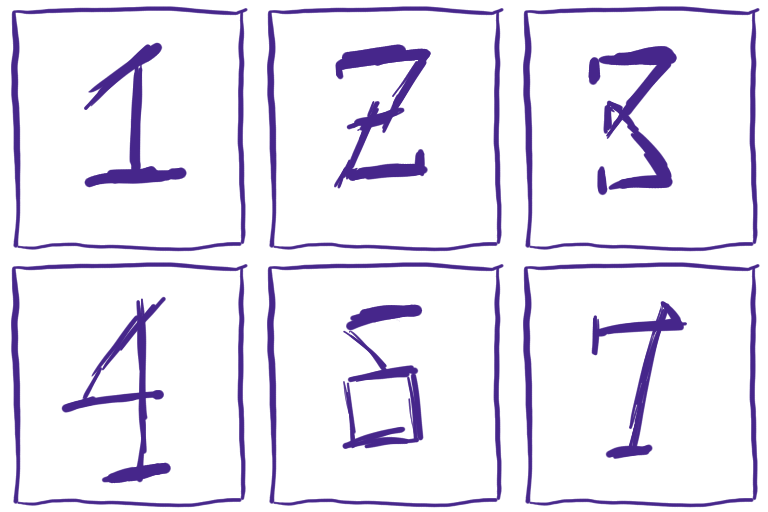
An animation is a just quick series of images to simulate the movement of an object on the screen. For example, consider a basic animation that only lists digits
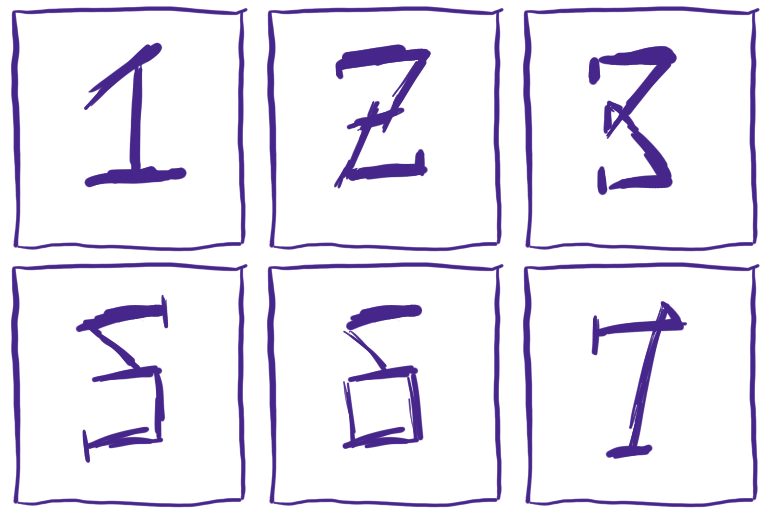
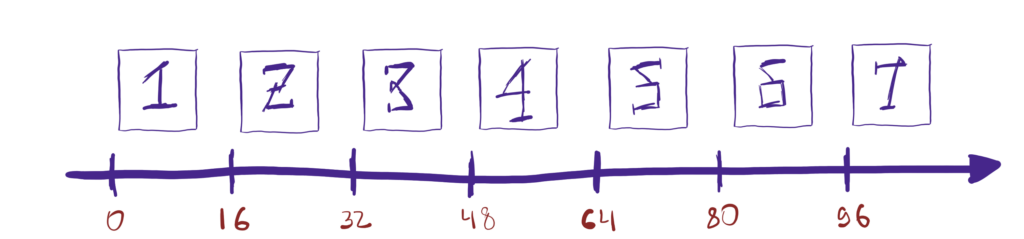
As you can see, it’s just a sequence of individual digit images that are presented quick enough.
The animation frames have to presented at a steady pace to maintain the smooth feeling. If one or two frames are late, a frame drop can occur, which the user will likely notice. There are various reasons why a frame may not be presented on time. One reason might be that the app has been busy doing something else, for example loading a big file from the disk. However, there can also be reasons that are not exactly under the direct influence of the app, for example the operating system scheduler may prioritize scheduling other tasks or perhaps the memory scheduler has decided that it needs to do some of its things, etc. An animation with a frame drop may look as follows
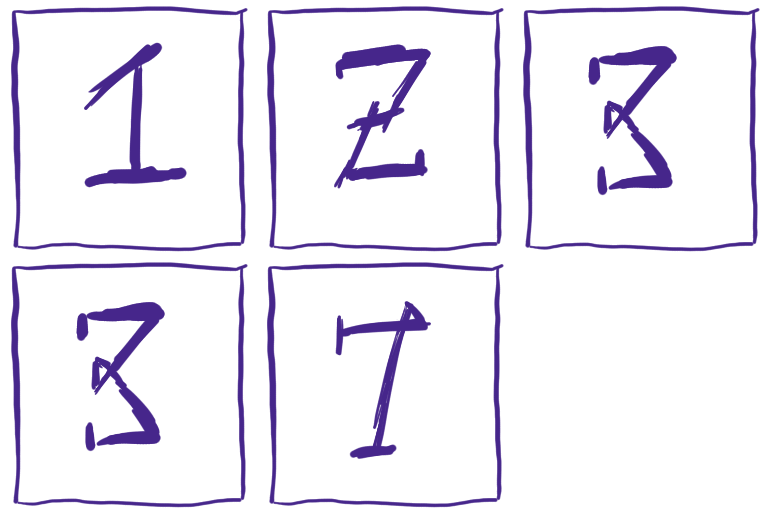
If a frame cannot be painted on time, we are in a sticky situation no matter how you look at it. The animation won’t look as smooth as it could.
That being said, it is also worth mentioning how some apps (and compositors) drive animations. A lot of them advance animations simply by the amount of time that has passed since the last frame. In pseudo-code, it looks as follows:
const milliseconds target = next_presentation_timestamp();
const milliseconds delta = target - previous_repaint_time;
previous_repaint_time = target;

advance_animations_by(delta);
The biggest drawback of this approach is that it can introduce discontinuities to the motion of an object. For example
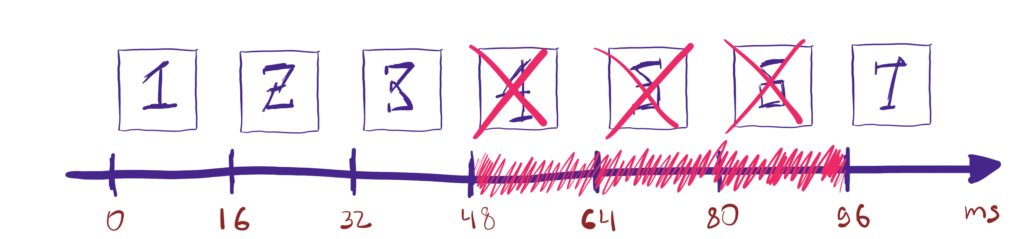
If the app becomes busy for about 48 milliseconds after painting the frame 3, the delta interval will be 48 the next time a frame will be painted, which will effectively advance the animation to frame 7. Technically, this is not the wrong behavior. It does make sense if you look purely at the math. From the human eyes point of view though, the fact that there is a discontinuity in the animation now is far from ideal.
Luckily, there is a simple workaround. If we know the refresh rate of the monitor, we could estimate the maximum allowed delta interval for a single frame (for example, for a 60Hz monitor, it will be 16.6ms) and limit the animation delta time by it. It won’t make animations butter smooth but it will reduce discontinuous jumps in the animation.
In comparison to the aforementioned described method to advance animations, with the proposed method, animations will advance as follows

As you can see, even though there was a frame jitter, the frames 4, 5, and 6 have not been dropped. Obviously, this is not a silver bullet solution. The final motion may still look “wonky” depending on the duration of the frame jitter but even with that being said, the advantages are still worth it. In pseudo-code, it will look as follows
const milliseconds target = next_presentation_timestamp();
const milliseconds max_delta = 1000 / output->refresh_rate;
const milliseconds delta = min(max_delta, target - previous_repaint_time);
previous_repaint_time = target;

advance_animations_by(delta);
Plasma 6.7
The animation delta interval throttling will be implemented in the next release of Plasma. Note that this will only affect compositor-side animations, for example the ones that are played when a window is opened or closed. It will not affect animations that are played inside applications, the compositor has little actual influence on those.
In my testing, both on my desktop and a less powerful laptop, I noticed slight improvements when opening new windows, animations feel a little bit more smoother especially on the laptop. That being said, please don’t take it as me saying that animations will be perfectly smooth. No, if a frame jitter occurs, we’re in a pretty ugly situation and these changes are mostly about hardening kwin so the animations look less choppy.