Update: Automatic server-side drop shadows were reverted because that regressed the visuals of a reasonable number of apps. It appears like applications use normal toplevel windows to implement popups instead of relying on more appropriate window types. The window rule is still there. We’d like to revisit automatic SSD drop shadows, but at the moment, it’s on the back burner.
It’s been a long time since I wrote here last time. I would like to share a few details about a feature that I’m really excited about, which landed in KWin recently.
Drop shadows are drawn either by the compositor or the application. For example, a good chunk of GTK applications employ the latter strategy, the drop shadows are drawn on the client side; Qt applications usually ask the compositor to draw a window decoration plus the drop shadow. However, there are also applications that do neither. For the consistency sake, it will be nice if you could force the compositor to add drop shadows for those windows. This is the new feature that will come in the next release of Plasma — 6.8.
For example, consider Discord with the current defaults
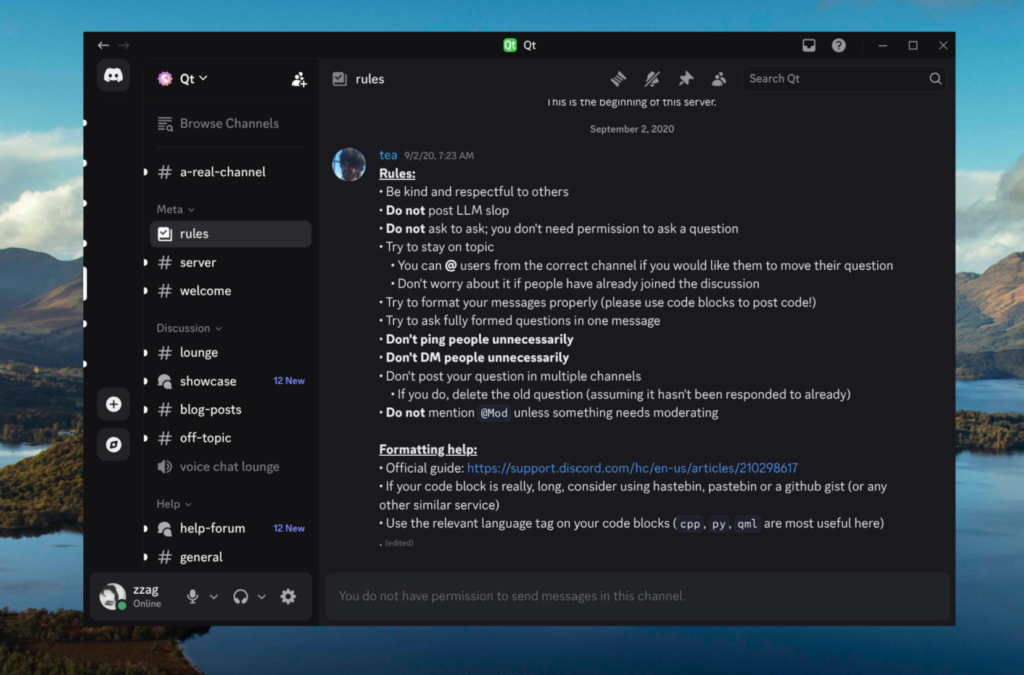
It has square corners, there are no drop shadows, the titlebar buttons don’t look consistent, etc.
With the new changes, Discord will look as follows
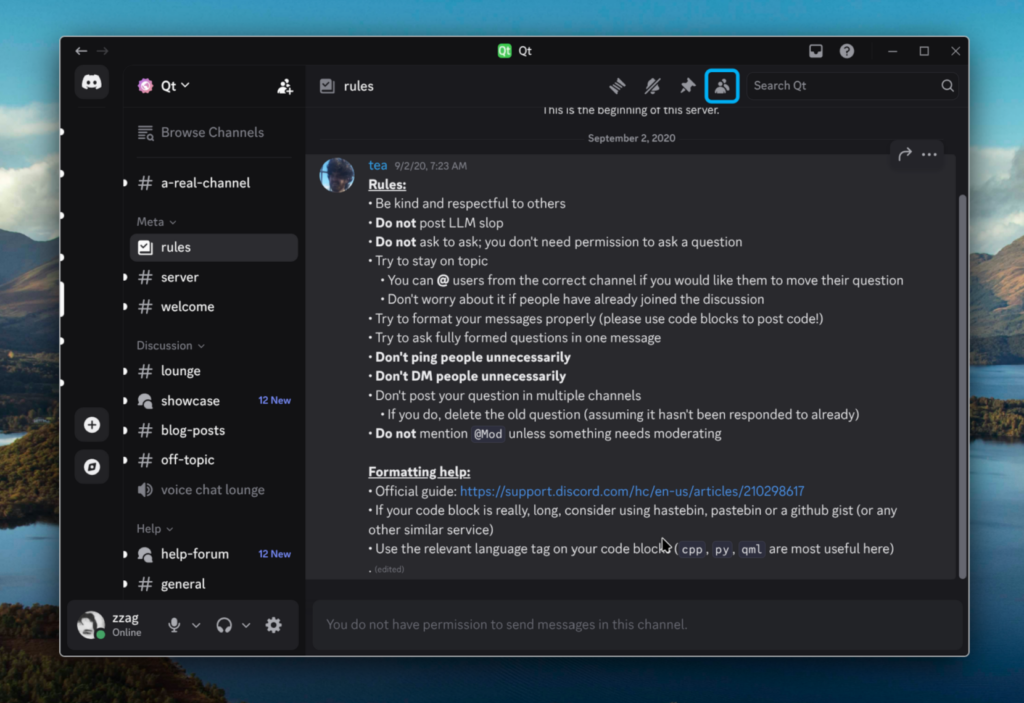
There are still some inconsistency issues, e.g. the close, maximize and minimize buttons don’t look consistent, but still, now, Discord blends in better with the rest of Plasma, for example it casts a shadow, it has rounded corners and there is an outline drawn around the window.
How it works
You can already achieve similar visuals in 6.7. In order to do that, you need to create a window rule to force a server-side decoration, and then go to Breeze decoration settings and create a window-specific override to hide the titlebar.
For example, here are the required steps to add a server-side drop shadow around Visual Studio Code in Plasma 6.7
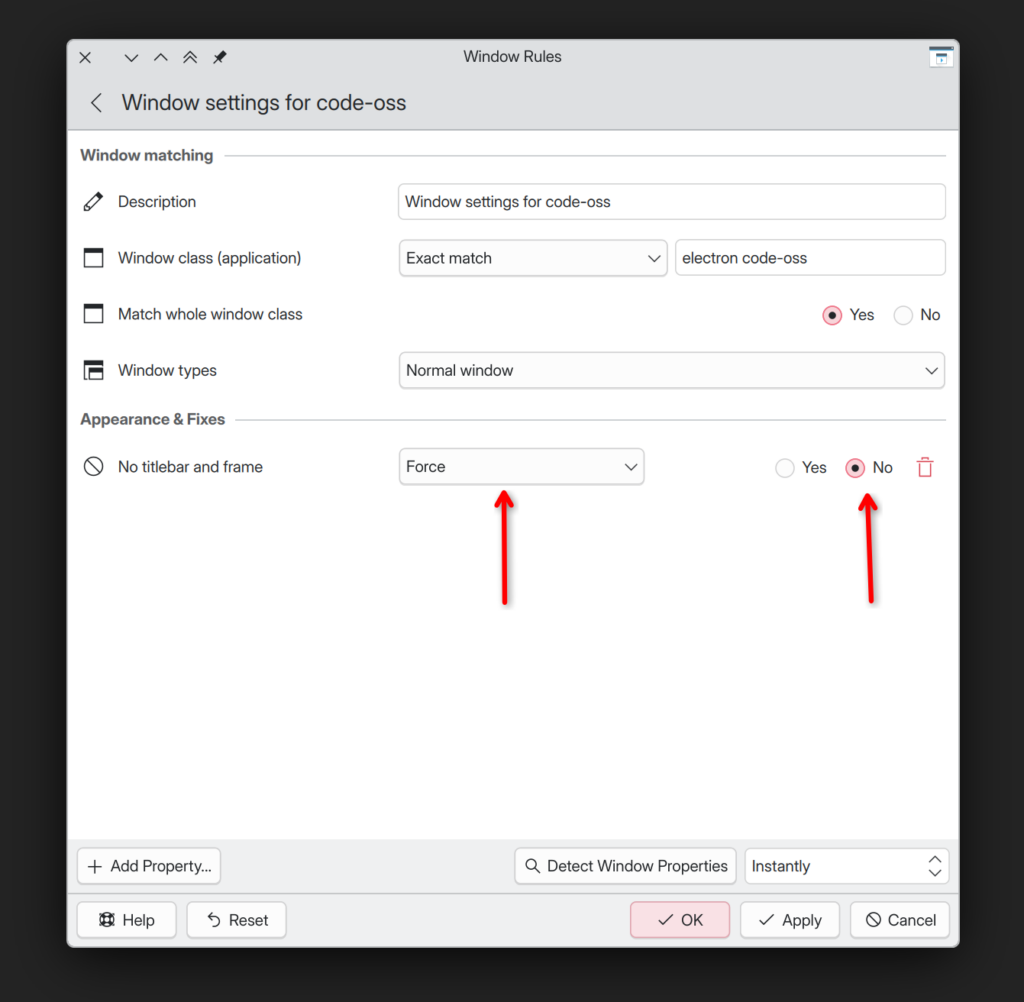
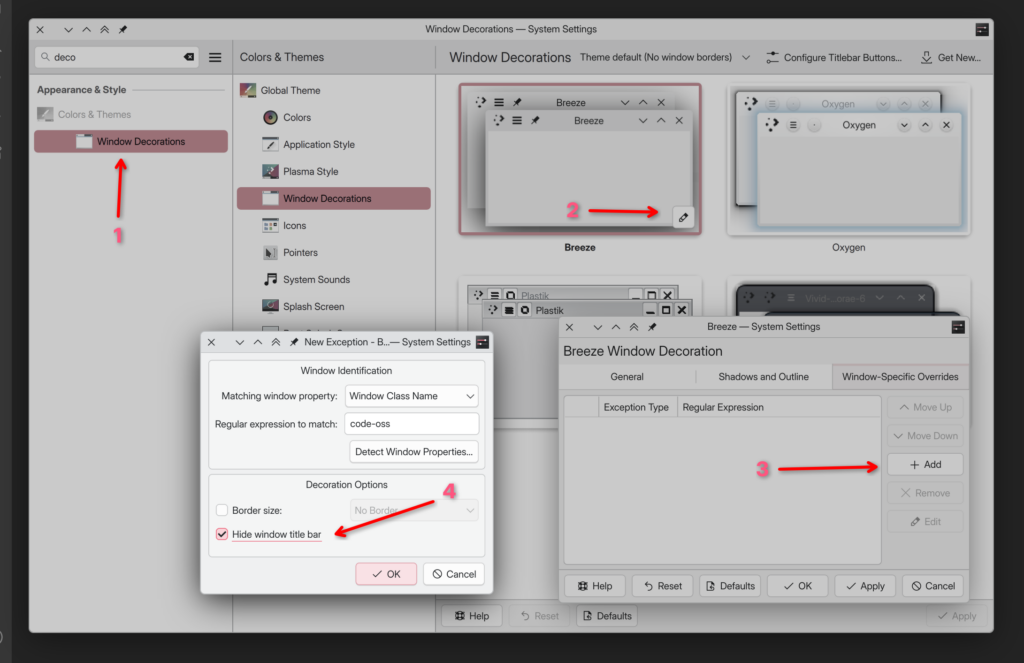
The changes in 6.8 rather automate those steps for you. Unfortunately, it doesn’t work with every available decoration in the wild. Decorations need to opt-in to providing only server-side drop shadows.
First, a decoration needs to declare that it supports both shadow-only and titled decorations in the metadata, e.g.
    "org.kde.kdecoration3": {
        "styles": ["shadow", "titled"]
    }
Then the decoration needs to adjust its visuals based on the value of KDecoration3::Decoration::style(). For example, hide the titlebar, etc.
How to add shadows around windows
If you would like a given window to have a server-side drop shadow, we added a new “Window manager draws titlebar, frame, and shadows” window rule that supersedes the old “No titlebar and frame” rule
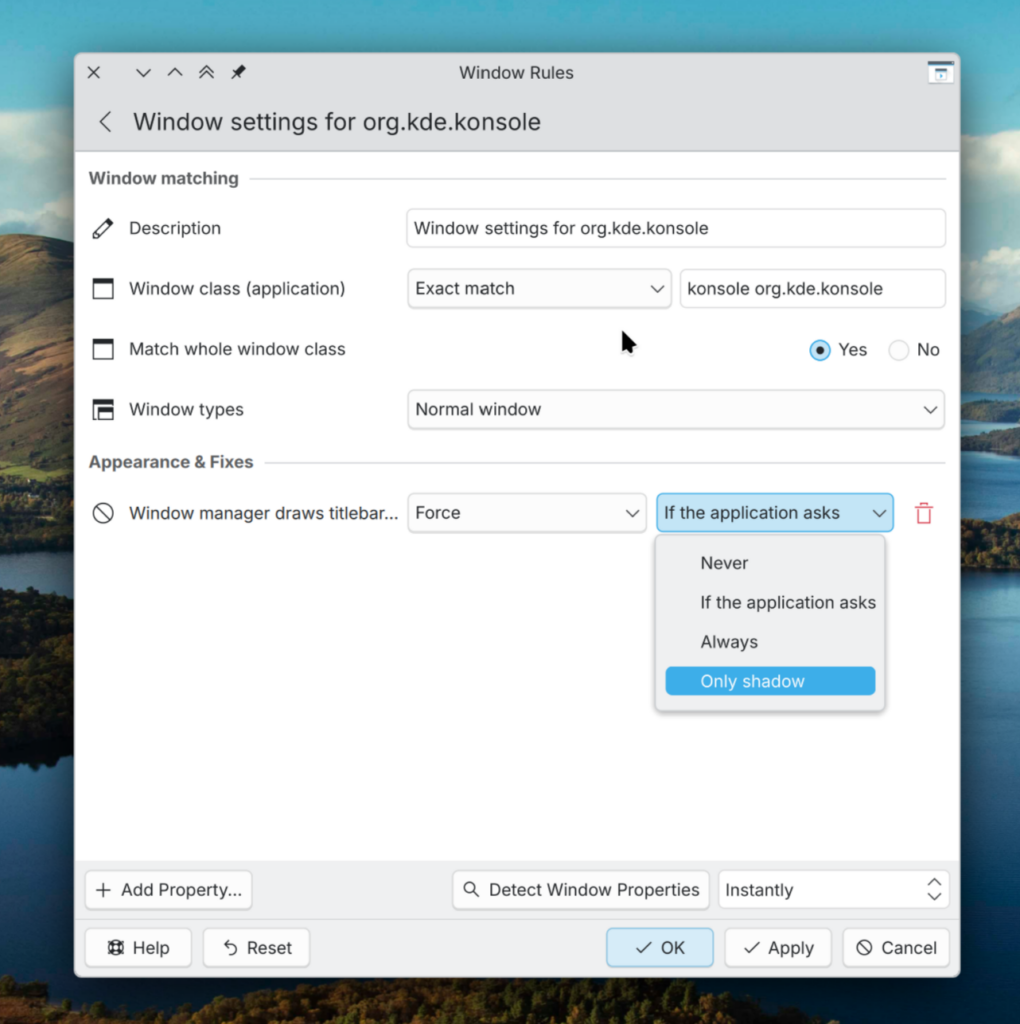
Note that KWin will automatically add drop shadows to X11 windows that have neither a server-side decoration nor a client-side drop shadow. No such a thing will be done for Wayland windows though because of sub-surfaces. On Wayland, we may need a protocol to opt-in to such things, in meanwhile, you’ll need to use window rules.
Closing words
Anyway, it’s a rather quick development update. This is a small thing but I hope that people will find it useful for making their desktops look more eye-candy.